
Intimacy Tracker: What to Track and How to Keep It Private
An intimacy tracker is a private log of your intimate life: when, with whom, how it felt, whether you used protection, and when you last got tested. Kept for a few months, it shows you patterns you'd never notice from memory, gives you real answers at a sexual health clinic, and makes some conversations with a partner easier to start.
The short version: log the date, partner (or solo), protection, mood and a short note, plus the date of your last STI test. Pick the tool you'll actually open, whether that's a notebook, a bullet journal spread, a Notion page or an app. Then lock it down: a Face ID lock, no previews on the lock screen, and a clear idea of where the data and its backups live.
What's worth tracking (and why)
You don't need many fields. A handful, filled in every time, beats a detailed template you abandon after two weeks.
| Field | Why it's useful |
|---|---|
| Date and time | Shows your rhythm over weeks and months, and answers "when was the last time?" without guessing. |
| Partner, or solo | If you're ever diagnosed with an STI, the NHS says you should tell current partners and any ex-partners so they can be tested and treated. A log turns that into a list instead of a memory exercise. |
| Protection | The CDC says consistent condom use is highly effective at preventing the spread of HIV, but condoms don't protect against STIs spread by skin-to-skin contact, such as genital herpes and syphilis. Knowing when protection wasn't used helps you decide when a test makes sense. |
| Mood | Over time you see what tends to leave you feeling connected, relaxed or off. That's useful for you, and a gentle way into a conversation with a partner. |
| Rating | Optional, but a quick 1 to 5 makes trends easy to spot. |
| Last STI test | The anchor for a testing schedule. See how often you should get tested for STIs for the CDC and NHS guidance. |
| Notes | Context you'll want later: stress, travel, a new medication, something you'd like to talk about. |
A sexual health clinic will ask about your recent sex life, the NHS notes, and encourages you to be open about it. With a log, you can answer with dates instead of "a few weeks ago, I think".
What to leave out
Write as little about other people as you need. A first name or an initial is enough to tell partners apart. Skip anything a partner wouldn't be comfortable with you recording, and keep photos out of it unless the tool can lock them away. The less sensitive detail a log holds, the less it matters if someone ever sees it.
Paper vs bullet journal vs Notion vs app
Every option works if you keep using it. The differences are effort, what you get back, and where your entries end up.
| Option | Good for | Privacy trade-off |
|---|---|---|
| Paper notebook | Zero setup, nothing online | Anyone who finds it can read it, there's no backup, and no reminders |
| Bullet journal tracker | A visual monthly grid with a symbol or color per day | Same as paper, and it often lives in the journal you carry every day, so keep it off social media |
| Notion template | Flexible databases, filters and views | Entries live on Notion's servers. Its security page describes encryption in transit and at rest; it doesn't describe end-to-end encryption. Check who the page is shared with |
| Notes app | Quick, already on your phone | Apple Notes can lock individual notes with your passcode, Face ID or a custom password, but it's free text, so no counts or reminders |
| Dedicated app | Structured fields, stats, reminders | You're trusting the developer, so check where data is stored and what's shared (see the checklist below) |
Paper and bullet journals are the most private against hackers and the least private against a curious roommate. Notion and notes are flexible but make you build the structure yourself. An app does the counting and reminding for you, which is the part most people drop.
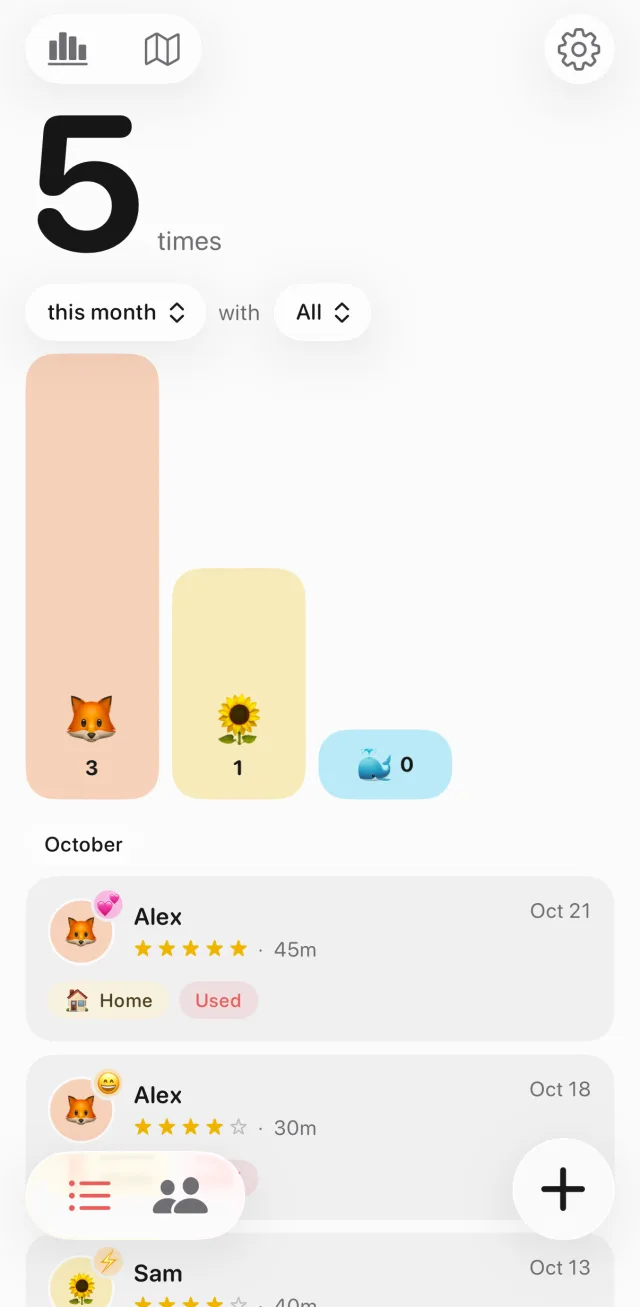
Hook is an iPhone intimacy tracker built around the fields above. Each entry can be solo or with one or more partners, and records the date and time, duration, a star rating, mood, location, protection (used, not used or not recorded), tags and notes. You can edit the moods, locations and tags or add your own. Entries are stored on your iPhone, with no account and no Hook servers.
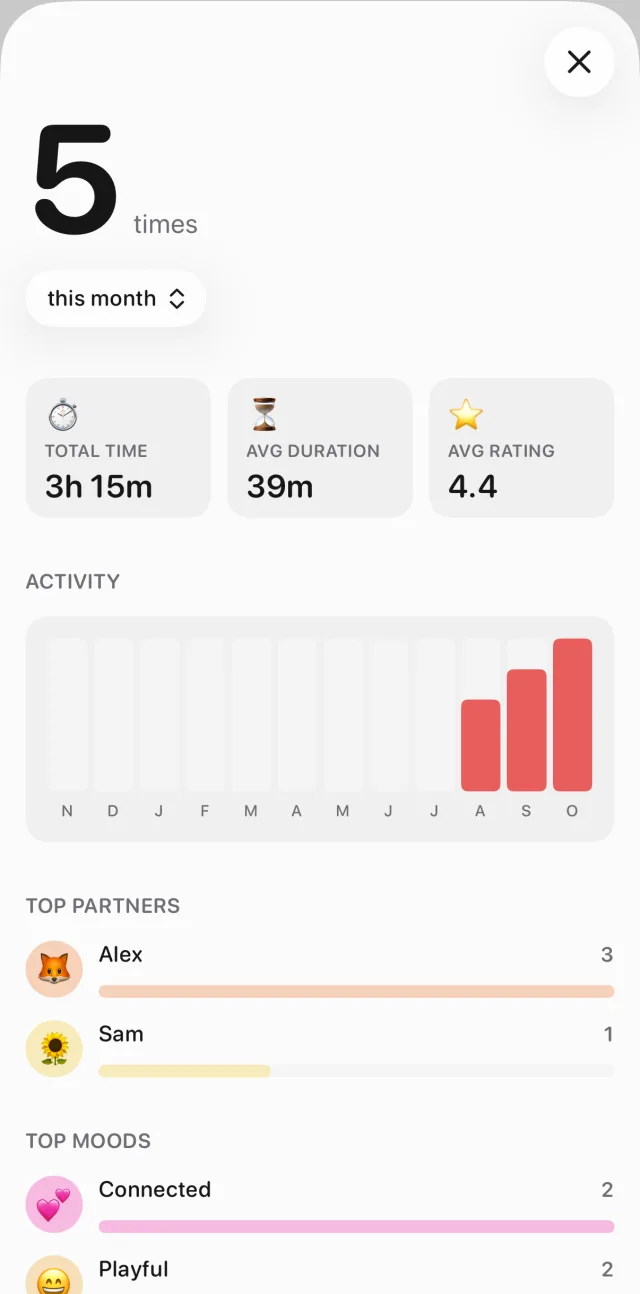
With Hook+, a Stats screen turns the log into patterns: total time, average duration and rating, a "Rhythm" heatmap of days and times, your top partners, moods, locations and tags, and how many entries recorded protection.
A privacy checklist for any intimacy tracker
Whatever you use, run through these before you write your first entry. The FTC's advice on health apps and sensitive information covers the same ground: read the privacy notice, check the settings, and keep the app updated.
- Know where the data lives. On your device only, on the company's servers, or both? The privacy policy should say what the app collects and who it shares it with. If it doesn't say, assume the worst.
- Ask whether you need an account. If an app asks for your email, find out what's stored alongside it. Hook doesn't ask for an account at all.
- Check what analytics see. Many apps use analytics or payment services. Look for a clear statement that your entries aren't sent to them. Hook's privacy policy says its analytics (Firebase) and subscription service (RevenueCat) get no entry content.
- Lock it. A tracker should open with Face ID, Touch ID or a passcode. If an app has no lock of its own, iPhone can lock any app: touch and hold the icon and tap Require Face ID. Apple says information inside a locked app won't appear in places like notification previews, search or Siri suggestions. You can also hide the app in a Hidden folder.
- Turn off lock screen previews. In Settings > Notifications, set Show Previews to When Unlocked or Never, for all apps or just your tracker. Prefer apps whose reminders are worded discreetly in the first place.
- Check the app switcher. Swipe up and look at the app's card. A private app should hide its content there.
- Understand your backups. With iCloud's standard protection, data is encrypted but Apple holds the keys for most of it. Advanced Data Protection makes iCloud Backup, iCloud Drive and Notes end-to-end encrypted, so only your trusted devices hold the keys. Turn it on if that matters to you.
- Check sharing. For Notion pages, shared notes or documents, look at who has access before you add anything personal.
- Keep paper somewhere private. A notebook is only as safe as the drawer it's in.
- Keep everything updated. The FTC calls updating the app and your phone's operating system one of the best ways to protect your information.
Hook covers several of these out of the box. Its sexual-health reminders use neutral lock-screen text like "Health check reminder" and "Daily reminder". With Hook+, App Lock adds Face ID, Touch ID or a passcode, and while it's on, Hook blurs its card in the app switcher. Hook+ also backs your entries up to your own iCloud so you can restore them on a new phone.
Turn the log into a testing habit
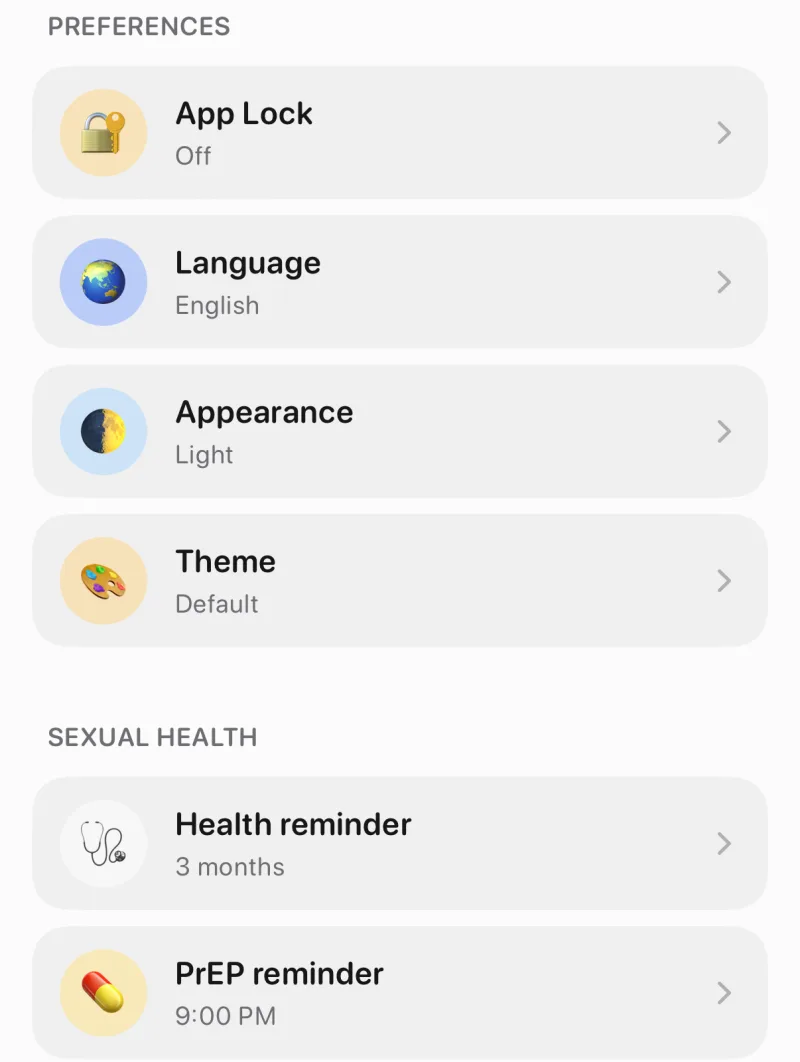
The most useful thing a tracker can do is remind you to act on it. Pick a testing cadence that matches your situation (the CDC recommends anything from once a year to every 3 to 6 months; our STI testing guide breaks it down), note the date of your last test, and count from there. Hook's free Health reminder does exactly that, and it's in the same Settings section as the optional PrEP and DoxyPEP reminders.
Hook: private intimacy journal
Log moments, moods and protection, set discreet STI test, PrEP and DoxyPEP reminders, and keep it all on your iPhone. No account needed. Face ID lock and iCloud Backup with Hook+.

FAQ
What should I track in an intimacy tracker?
Date and time, partner or solo, protection, mood, an optional rating, and short notes, plus the date of your last STI test. That's enough to see patterns and answer a clinician's questions without turning the log into a chore.
Is there a free intimacy tracker app?
Hook is free to download, and logging entries with partners, the home screen counts, the map and the STI test, PrEP and DoxyPEP reminders are free. Stats, App Lock (Face ID) and iCloud Backup are part of Hook+.
Can couples use an intimacy tracker together?
Yes, if you agree on it. A shared notebook or a Notion page you both can edit works for a joint log. Hook is a personal journal on your own iPhone: an entry can include one or more partners, but it isn't shared to anyone else's phone.
Is an intimacy tracker app safer than a paper journal?
It depends on the risk you care about. Paper never goes online but anyone who finds it can read it. An app can be locked with Face ID and backed up, but you need to trust where it stores your data. Use the checklist above for either.